IPTV has changed how people access television by delivering live channels and on-demand content through an internet connection. Instead of relying entirely on traditional cable or satellite services, viewers can use compatible applications and streaming devices to watch content across different screens.
However, getting IPTV to work smoothly involves more than choosing a subscription. Users may encounter buffering, application compatibility issues, incorrect login details, playlist errors, installation difficulties and other technical problems. Finding the right IPTV solutions can make the setup process easier and help improve the overall streaming experience.
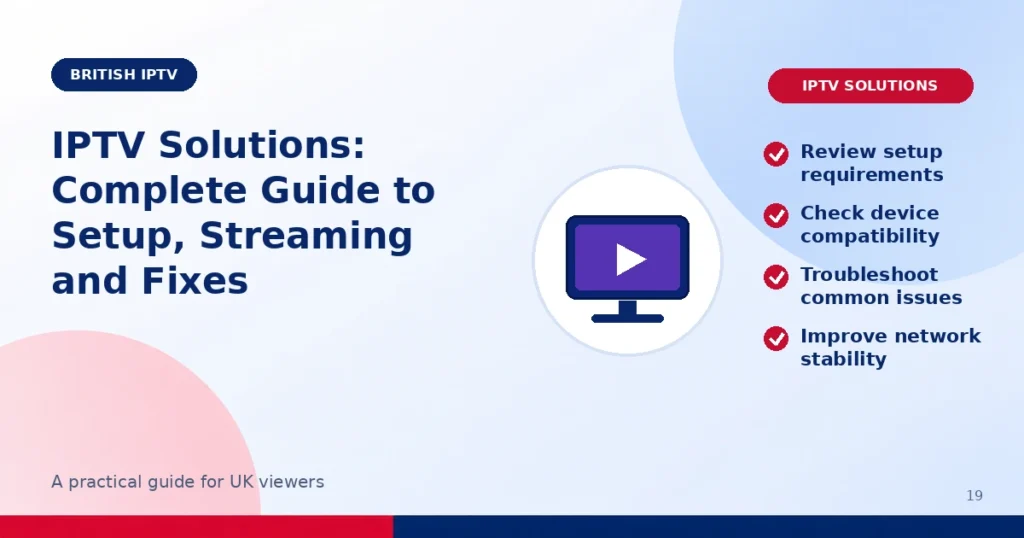
Whether you are new to IPTV or trying to fix an existing setup, this guide covers the most useful IPTV solutions for installation, configuration, device compatibility, playback and common streaming problems.
What Are IPTV Solutions?
IPTV solutions refer to the services, applications, devices, technologies and troubleshooting methods used to deliver and watch television content over an internet connection.
The term can cover several areas, depending on the user’s requirements. For example, a home viewer may need an IPTV player and subscription, while a business may require a complete IPTV distribution system for multiple screens or locations.
Common IPTV solutions include:
- IPTV subscriptions: Services that provide access to authorised television channels and on-demand content.
- IPTV players: Applications used to connect to playlists and play available streams.
- Streaming devices: Hardware such as Fire TV, Android TV and Apple TV devices.
- IPTV configuration: Settings for playlists, login credentials, electronic programme guides and playback.
- Network solutions: Internet connections and network configurations that support stable streaming.
- Troubleshooting: Methods for resolving buffering, login failures, application crashes and playback errors.
The right solution depends on whether you want to watch IPTV at home, manage multiple screens or build a professional television distribution system.
How Do IPTV Solutions Work?
IPTV uses internet protocol technology to deliver video content over a network. Instead of receiving television signals through a traditional aerial or satellite dish, the viewer accesses streams through an internet-connected device.
A typical IPTV setup involves four main components:
- Content source: The television content supplied by a broadcaster or authorised distributor.
- IPTV service: The platform responsible for making the content available to users.
- IPTV player: The application used to connect and play the streams.
- Internet-connected device: A Smart TV, Firestick, Android TV box, smartphone or computer.
Once the player connects to the service using supported credentials or a playlist, it can display the available content.
For larger organisations, IPTV systems may also include encoders, middleware, content management platforms, servers and network distribution equipment.
Different Types of IPTV Solutions
Not every IPTV solution serves the same purpose. Understanding the main categories can help you choose the right technology for your needs.
1. Residential IPTV Solutions
Residential IPTV solutions are designed for people who want to watch television at home using an internet connection.
A typical home setup may include:
- An IPTV subscription from an authorised provider
- A compatible IPTV application
- A Smart TV or streaming device
- A reliable broadband connection
- Login credentials or a supported playlist
This setup can allow viewers to access live television and other available content without installing traditional satellite or cable equipment.
2. Business IPTV Solutions
Business IPTV systems are used by organisations that need to distribute television or video content across multiple screens.
Common examples include:
- Hotels and hospitality businesses
- Hospitals and healthcare facilities
- Educational institutions
- Corporate offices
- Restaurants and entertainment venues
- Residential buildings
These systems may include centralised content management, multiple viewing endpoints, network distribution and administrative controls.
3. IPTV Streaming Solutions
IPTV streaming solutions focus on delivering video content over an internet connection with suitable playback quality and device compatibility.
Depending on the platform, they may support:
- Live television
- Video on demand
- Electronic programme guides
- Catch-up television
- Multiple screen formats
- Different video resolutions
The features available depend on the service, content rights and supported applications.
4. Managed IPTV Solutions
Managed IPTV solutions are designed for organisations that need professional assistance with system installation, configuration, maintenance and content distribution.
A managed system may include network planning, server administration, technical support, software updates and monitoring.
This approach can be useful when an organisation does not have the internal resources to manage an IPTV infrastructure independently.
Best IPTV Solutions for Common Streaming Problems
One of the main reasons people search for IPTV solutions is that their current setup is not working as expected. Below are practical solutions to common problems.
1. IPTV Buffering Solutions
Buffering happens when a video stream cannot load data quickly enough to maintain continuous playback.
Possible causes include slow internet speeds, weak Wi-Fi signals, network congestion or problems with the stream source.
How to fix IPTV buffering:
- Restart your router and streaming device.
- Use an Ethernet connection where possible.
- Move your device closer to the Wi-Fi router.
- Pause large downloads and other bandwidth-heavy activities.
- Check whether the problem affects every channel or only particular streams.
- Try a lower video resolution if the player offers that option.
For a more detailed walkthrough, see our guide on how to fix IPTV buffering.
2. IPTV Login Solutions
Login problems can prevent an IPTV player from connecting to a service.
Common reasons include incorrect usernames, expired passwords, invalid server URLs and inactive subscriptions.
How to resolve IPTV login errors:
- Check your username and password.
- Make sure the server URL is correct.
- Remove accidental spaces from the login fields.
- Confirm that your subscription is active.
- Check whether your account has reached its simultaneous connection limit.
- Contact your provider if the problem continues.
If you use Xtream Codes, verify all three required details: username, password and server URL.
3. IPTV Playlist Solutions
An IPTV playlist contains information used by a compatible player to access available streams.
If your playlist does not load, the problem may be related to an incorrect M3U URL, an unsupported format or an expired playlist.
Try these solutions:
- Copy the playlist URL again.
- Check whether the URL is still valid.
- Confirm that your IPTV player supports M3U playlists.
- Refresh the playlist.
- Check your internet connection.
- Ask your provider whether the playlist has been updated.
You can also read our guide to Xtream IPTV playlists to understand the alternative login method.
4. IPTV App Installation Solutions
Sometimes the IPTV application you want is not available on your device. This can happen because of operating system restrictions, regional availability or unsupported software versions.
Possible solutions:
- Check the official app store for compatible applications.
- Update your device’s operating system.
- Review the application’s supported device list.
- Install only applications from trusted sources.
- Consider using a compatible external streaming device.
Remember that Android applications cannot automatically run on every Smart TV platform. For example, LG webOS and Samsung Tizen are different from Android TV.
5. IPTV EPG Solutions
An Electronic Programme Guide (EPG) displays programme information, including channel names, current shows and upcoming schedules.
If the TV guide is empty or displaying incorrect information, try the following:
- Check whether your IPTV service provides EPG information.
- Confirm that the EPG URL is correct.
- Refresh the guide inside your application.
- Check the device’s date and time settings.
- Verify that the channel and EPG identifiers match where required.
Some services or playlists do not include programme guide information, so check what your provider supports.
6. IPTV Playback Solutions
If a channel opens but does not play correctly, the issue may involve the stream format, video codec, audio settings or player compatibility.
Try these steps:
- Test another channel.
- Restart the IPTV application.
- Update the player if an update is available.
- Switch between supported built-in and external players.
- Check audio and video settings.
- Confirm that your device supports the stream format.
If only one channel is affected, the issue may be with that particular stream rather than your entire setup.
IPTV Solutions for Different Devices
A good IPTV setup depends on choosing an application and connection method that work with your device.
Here is an overview of common device options.
IPTV Solutions for Amazon Firestick
Fire TV devices are popular for IPTV because they support a range of compatible streaming applications.
A typical setup involves:
- Connecting the Firestick to your television and internet.
- Finding a compatible IPTV player.
- Installing the application through an official or authorised source.
- Entering your M3U playlist or Xtream Codes credentials.
- Loading the available content.
Check application compatibility and installation requirements before proceeding.
IPTV Solutions for Android TV
Android TV and Google TV devices offer access to compatible applications through their app stores.
To get started, install an IPTV player, select the supported login method and enter your subscription information.
You can also configure supported features such as EPG, subtitles and playback preferences.
IPTV Solutions for LG Smart TVs
LG Smart TVs use webOS, so you need an application specifically compatible with your television and region.
Open the LG Content Store, search for available IPTV players and install a supported option. If your preferred application is unavailable, an external streaming device may provide an alternative.
IPTV Solutions for Samsung Smart TVs
Samsung Smart TVs use the Tizen operating system. App availability depends on the television model, region and software version.
Search the Samsung app store for a compatible IPTV player and follow its setup instructions.
IPTV Solutions for iPhone and iPad
Apple devices can use compatible IPTV applications available through the App Store.
After installing a suitable player, enter the playlist or login information provided by your service. Check application permissions and compatibility before using it.
IPTV Solutions for Windows and Mac
Computers can access IPTV through compatible desktop applications or browser-based players.
Choose a player that supports your operating system, enter your playlist or account details and test playback.
For browser-based streaming, use a trusted web player that supports your service’s connection method.
Essential IPTV Configuration and Settings
Correct IPTV settings can help avoid unnecessary playback and connection problems. The available options depend on your application and device.
| IPTV setting | Purpose | Suggested approach |
| M3U playlist | Connects a supported playlist | Enter the correct URL |
| Xtream Codes | Connects using account credentials | Check username, password and server |
| EPG | Displays programme information | Refresh when schedules are missing |
| Video quality | Controls stream resolution | Select a quality your connection supports |
| Player type | Determines playback method | Start with the default player |
| Hardware decoder | Uses supported device hardware for decoding | Test if playback problems occur |
| Aspect ratio | Controls video display proportions | Use Auto or Original |
| Subtitles | Displays available captions | Select a supported subtitle track |
Avoid changing multiple settings at once. Adjust one option, test playback and then decide whether another change is necessary.
How to Choose the Right IPTV Solution
Choosing the right IPTV solution requires more than comparing prices or advertised channel numbers. You should consider your viewing requirements, device compatibility, content availability and technical needs.
Here are seven important factors to evaluate.
1. Content Availability
Check whether the service provides the channels, programmes and on-demand content you actually want. Make sure the provider has the necessary distribution rights.
2. Device Compatibility
Confirm that the service works with your Smart TV, Firestick, Android device, Apple device or computer.
3. Streaming Reliability
Look for transparent service information and independent customer feedback. Avoid relying solely on marketing claims about uninterrupted streaming.
4. Connection Requirements
Understand how many simultaneous connections are allowed and whether your home network can support your intended use.
5. Application Support
Check whether the provider supports M3U playlists, Xtream Codes or another connection method compatible with your preferred player.
6. Customer Support
A provider should offer clear contact details and useful assistance for account, installation and playback problems.
7. Security and Legitimacy
Review the privacy policy, payment terms and content distribution rights before purchasing a service.
IPTV Solutions for Businesses: What Should You Consider?
Businesses have different requirements from residential users. A hotel, school or office may need to distribute content to dozens or hundreds of screens.
A professional IPTV system may include several components:
- IPTV headend: Receives and processes television signals.
- Video encoders: Convert video sources into formats suitable for IP distribution.
- Middleware: Manages users, devices and available content.
- IPTV servers: Handle content delivery and system operations.
- Network infrastructure: Distributes video traffic to connected screens.
- Set-top boxes: Connect televisions to the IPTV platform.
When planning a business IPTV solution, consider network capacity, security, scalability, installation requirements and ongoing maintenance.
Professional system design is particularly important for hotels, hospitals and other environments where many screens need reliable access to centrally managed content.
Benefits of Using the Right IPTV Solutions
A properly selected and configured IPTV system can offer several practical advantages.
- Flexible viewing: Access supported content through compatible internet-connected devices.
- Device choice: Use Smart TVs, streaming boxes, smartphones and computers.
- Centralised management: Business systems can manage content across multiple screens.
- Convenient access: Compatible applications can simplify playlist and account management.
- Customisable settings: Adjust supported playback, audio and display options.
- Scalable infrastructure: Business IPTV systems can be designed to support additional users and screens.
The actual benefits depend on the provider, application, network and system configuration.
Common IPTV Mistakes to Avoid
Some IPTV problems occur because users overlook basic setup and security requirements.
Avoid these common mistakes:
- Choosing an incompatible player: Always check your device and operating system requirements.
- Entering incorrect login details: Verify your username, password and server address.
- Ignoring internet quality: A stable connection is essential for streaming.
- Using untrusted applications: Download players from official or reputable sources.
- Sharing account credentials: Follow your provider’s connection limits and security guidance.
- Ignoring subscription terms: Understand renewal, cancellation and refund policies.
- Expecting every feature to be included: EPG, catch-up and multi-screen access depend on the service.
Explore IPTV Services and Setup Guidance with British TV UK
Finding suitable IPTV solutions starts with understanding your viewing requirements, selecting a compatible application and choosing a service that meets your needs.
British TV UK provides information about IPTV subscriptions, supported applications and installation methods for different devices. Whether you are configuring IPTV on a Firestick, Smart TV, Android device or computer, reviewing the setup requirements before choosing a service can help you avoid common problems.
Explore British TV UK for subscription information and practical IPTV installation guidance. Check the current service features, compatibility details and terms before making a purchase.
Frequently Asked Questions About IPTV Solutions
1. What are IPTV solutions?
IPTV solutions include the services, applications, devices, network systems and technical methods used to deliver and watch television content over an internet connection.
2. Which IPTV solution is best for home use?
The best option depends on your television, internet connection, preferred applications and content requirements. A compatible IPTV player and reliable internet connection are essential.
3. How do I fix IPTV buffering?
Restart your router, use Ethernet where possible, reduce network congestion and test another stream. Buffering can also result from problems with the source.
4. Why is my IPTV service not working?
Common reasons include incorrect login details, an expired subscription, an invalid playlist, an unsupported application or an internet connection problem.
5. Can I use IPTV solutions on a Smart TV?
Yes. Many Smart TVs support IPTV applications, but availability depends on the operating system, television model and region.
6. What is the difference between an IPTV player and an IPTV service?
An IPTV player is an application used to play streams. An IPTV service provides access to the content and connection details used by the player.
7. Do IPTV solutions require a fast internet connection?
The required speed depends on stream resolution, network conditions and the number of simultaneous streams. A stable connection is just as important as the advertised download speed.
8. Are IPTV solutions suitable for businesses?
Yes. Professional IPTV systems can distribute television and video content across hotels, offices, hospitals, schools, and other commercial environments.
9. What is the difference between M3U and Xtream Codes?
M3U uses a playlist URL or file, while Xtream Codes generally connects through a username, password, and server URL. Both methods require a compatible player and service.
10. Are IPTV solutions legal?
IPTV technology itself is legal. However, the legality of a particular service depends on whether it has the necessary rights and permissions to distribute the content it offers. Always choose authorised providers.