
Finding a free popular IPTV playlist for sports can be useful if you want to watch live sporting events, sports news, highlights, and other programmes without paying for another television subscription. IPTV playlists allow compatible applications to organise and play internet-based television streams, often using an M3U or M3U8 file.
However, not every free sports playlist provides reliable or authorised content. Some links stop working, certain channels may be unavailable in your country, and premium sporting events are usually protected by broadcasting rights.
Whether you want to explore free sports channels, understand how M3U playlists work or set up an IPTV player, this guide explains what to look for and how to get started.
What Is a Free Popular IPTV Playlist for Sports?
A free popular IPTV playlist is a collection of internet-based television stream links that can be opened through a compatible IPTV player. These playlists commonly use the M3U or M3U8 format to organise channel names, stream addresses, and other information.
A sports playlist may include different types of content, such as:
- Free-to-air sports channels
- Sports news and analysis
- Live coverage of selected sporting events
- Sports documentaries
- Match highlights and replays
- Motorsport and international sports programmes
The available content depends on the playlist source, broadcaster, location and streaming rights.
It is also important to understand that a playlist is not the same as an IPTV subscription. A playlist contains channel or stream information, while an IPTV player reads that information and displays available content.
What Sports Can You Find in Free IPTV Playlists?
The sports selection varies considerably between public playlists and official streaming platforms. Some sources focus on general sports programming, while others organise channels by country or category.
Here are some popular sports categories to explore.
1. Football
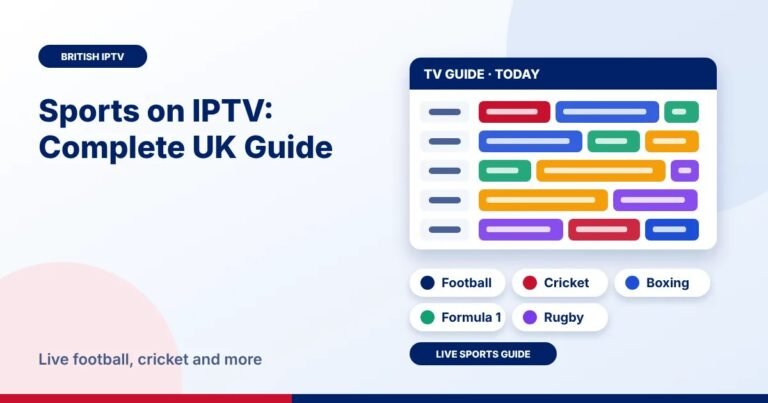
Football is one of the most searched categories when people look for free sports IPTV playlists. Viewers often want access to football news, match analysis, highlights, interviews and selected live competitions.
However, do not assume a free playlist provides live Premier League, Champions League or other premium matches. Check the official broadcaster’s schedule to see which fixtures are available without a paid subscription.
2. Cricket
Cricket coverage may include international match highlights, tournament updates, analysis and selected live events. Availability depends on the broadcaster’s rights in your country.
3. Motorsport
Motorsport fans may find programmes about Formula 1, motorcycle racing, rally competitions and other events. Free sources are more likely to provide highlights, interviews and specialist programming than complete premium race coverage.
4. Boxing and Other Sports
Other categories may include boxing, rugby, tennis, golf, athletics and basketball. Check the programme schedule and source details because a channel labelled as a sports channel does not necessarily broadcast every event live.
Where Can You Find Free and Legal Sports IPTV Streams?
The safest way to find free sports streams is to use official broadcasters, recognised streaming platforms and public playlists containing authorised streams.
Consider these options:
Eurovision Sport: The European Broadcasting Union’s Eurovision Sport platform provides free live and on-demand sports coverage. In June 2026, the EBU announced its expansion onto UK FAST platforms, including Plex, Amazon Live, Free Live Sports and Samsung TV Plus. Availability and event selection can vary.
BBC Sport: Offers sports news, selected live coverage, highlights, results and analysis. Its coverage depends on broadcasting rights and the particular event.
ITV Sport: Provides selected live sporting events, highlights and sports programming through ITV’s broadcasting services.
Plex: Offers free, advertising-supported live television channels, with availability depending on location and current channel listings. It also carries Eurovision Sport in the UK.
Samsung TV Plus: Provides free ad-supported channels on supported Samsung devices, including access to selected sports programming.
Official public IPTV playlists: Some open-source projects collect publicly available streams from broadcasters. For example, the FreeCastHub public IPTV project provides a sports-category playlist and states that its inclusion criteria are based on free, officially public streams. Always verify the individual broadcaster and stream permissions before using a link.
These options are more dependable starting points than random playlists promising every premium sports channel for free.
How to Use an M3U Sports Playlist in an IPTV Player
If you have an authorised M3U sports playlist, you can load it into a compatible IPTV player. The exact process depends on the application and device.
Step 1: Choose an IPTV Player
Select a player that supports M3U or M3U8 playlists. Check its compatibility with your device before installing it.
Step 2: Find Your Playlist URL
Obtain the M3U playlist from an official broadcaster or a source that has permission to distribute the streams.
A playlist URL is different from a normal website address. It points to a file or streaming resource that the player can process.
Step 3: Open the Playlist Section
Launch your IPTV application and look for an option such as Add Playlist, Load M3U URL or Add Playlist by URL.
Step 4: Enter the Playlist Information
Enter the authorised playlist URL and provide a name if the application requests one.
Step 5: Load the Channels
Allow the application to process the playlist. Depending on its size and your internet connection, loading may take a little time.
Step 6: Open the Sports Category
If the playlist includes organised categories, select Sports and browse the available channels. Test a stream to confirm that it works.
For more help, read our IPTV Configuration and Settings guide.
How to Watch Free Sports IPTV on Different Devices
You do not necessarily need a dedicated IPTV box to use a free sports playlist. Many compatible devices can run IPTV applications.
| Device | What to check |
| Amazon Fire TV | Compatible IPTV player and playlist support |
| Android TV | Player availability through a supported app store |
| Smart TV | Operating system and compatible applications |
| Windows PC | IPTV software or a compatible media player |
| iPhone and iPad | Applications supporting the required playlist format |
| Android phone | Compatible IPTV player and internet connection |
Not every application supports every device or playlist format. Before installing an app, check its official description and supported features.
You can also explore our Best IPTV Apps guide for more information about choosing a suitable player.
Why Do Free Sports IPTV Playlist Links Stop Working?
One common problem with free IPTV playlists is that streams may become unavailable without warning. This can happen for several reasons.
Stream removed by the broadcaster: A broadcaster may change its streaming address or stop offering a particular feed.
Regional restrictions: Some channels are only available in specific countries because of broadcasting agreements.
Outdated playlist: A playlist may contain old stream addresses that no longer work.
Server interruptions: The source may be temporarily unavailable or experiencing technical problems.
Incorrect player settings: An application may not support the stream format or playback method.
If a stream stops working, check the broadcaster’s official platform first. Refresh the playlist if the source provides an updated version, and make sure your IPTV player is compatible.
For additional troubleshooting, see our IPTV Solutions guide.
How to Improve Free Sports IPTV Streaming Quality
Live sports can be particularly frustrating when a stream repeatedly pauses or loses connection. A few basic adjustments can help:
- Use a stable broadband connection.
- Connect your device through Ethernet where possible.
- Close unnecessary applications running in the background.
- Keep your IPTV player and device software updated.
- Avoid loading unnecessarily large playlists.
- Choose a stream resolution supported by your connection and device.
- Test the stream before an important sporting event.
If you experience frequent interruptions, our guide on how to fix IPTV buffering can help you investigate common causes.
Are Free Popular IPTV Sports Playlists Legal in the UK?
An M3U playlist is simply a way of organising streaming links. Its legality depends on the content and whether the source has permission to distribute it.
A playlist containing authorised free-to-air broadcasts is different from one providing unauthorised access to premium sports channels.
Before using a free sports playlist, check:
- Whether the stream comes from an official broadcaster.
- Whether the broadcaster offers the content free of charge.
- Whether the stream is permitted in your location.
- Whether the source explains its distribution rights.
- Whether the playlist contains suspicious redirects or unknown downloads.
Also remember that UK TV Licensing rules apply to watching live television as it is broadcast, including through internet services. A TV Licence is also required to use BBC iPlayer.
Frequently Asked Questions
1. What is a free popular IPTV playlist sports link?
It is an M3U or M3U8 playlist containing links to sports-related television streams. The channels and events available depend on the source and its broadcasting permissions.
2. Can I watch live football using a free IPTV playlist?
You may find authorised free football coverage, selected competitions and highlights. Premium live matches are generally subject to broadcasting rights and may require a paid subscription.
3. What is an M3U sports playlist?
An M3U sports playlist is a file or URL that organises links to sports television streams for compatible IPTV players.
4. Which IPTV player supports sports playlists?
Several IPTV players support M3U playlists, but compatibility depends on the application and device. Check the app’s official specifications before installing it.
5. Why are free sports IPTV links not working?
Links may be outdated, removed, region-restricted or temporarily unavailable. Check the original broadcaster and refresh the playlist if an authorised update is available.
6. Can I use a sports IPTV playlist on Firestick?
Yes, if you have a compatible player and an authorised playlist. Make sure the application supports your Fire TV model.
7. Are free IPTV sports playlists safe?
They can be safe when obtained from reputable sources. Avoid unknown downloads, suspicious websites and playlists that promise unauthorised premium content.
Conclusion
A free popular IPTV playlist for sports can help viewers discover free sports channels, highlights, news and selected live events. However, the quality and availability of streams depend on the source, device, region and broadcasting permissions.
Start with official sports platforms and authorised public playlists. Choose an IPTV player that supports your device, check the source of every stream and test playback before relying on it for an important match.
The best approach is to prioritise reliable, authorised sports coverage rather than choosing a playlist simply because it advertises hundreds of channels.